
 LASERWAR
 CyberTag
 LaserArena
 May maneuvers
 Laserwar CRM
 Laser tag
 ZombieTag
 Lasertag
 Alphatag
 Laser tag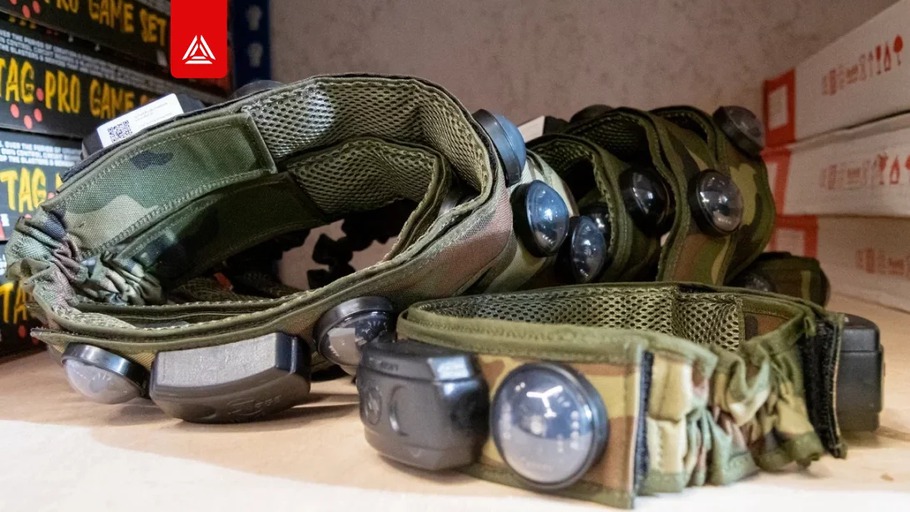
What is Covered by the Warranty?
An equipment malfunction does not always qualify as a warranty case. The LASERWAR warranty applies when the rules for storage, transportation, charging, and operation are followed. The warranty period is specified in the passport of each specific product.
If a problem occurs, it is important to assess not only the malfunction itself, but also the conditions in which the equipment was stored, transported, and used.
WHAT IS COVERED BY THE WARRANTY?
Warranty service covers cases that meet the warranty terms and are not related to violations of the operating rules.
The warranty period is specified in the product passport.
Power elements, speakers, and IR modules have a separate warranty period of 14 days.
The battery warranty does not cover damage caused by charging with an incompatible device.
Current LASERWAR warranty terms.
WHAT COUNTS AS IMPROPER OPERATION?
Most problems occur not during the game, but because of storage, transportation, or maintenance conditions. The following situations are considered improper operation when the equipment:
- is stored at an unsuitable temperature or humidity;
- is used at temperatures below -20 C;
- is not dried before further use after moisture gets inside the housing;
- is connected to a charger immediately after a game in snow or cold weather, without first warming it up and removing condensation;
- is stored damp in a closed case;
- suffers impacts or damage to the housing or optics;
- is used with cracked lenses;
- is exposed to water entering the housing;
- is transported without being secured and protected from impacts;
- is charged with an incompatible charger or without constant supervision;
- is connected to a charger that does not match the equipment version.
PROPER CHARGING IS PART OF OPERATION
Use only compatible branded chargers.
For Li+ equipment, first connect the charger to the equipment, then plug it into the mains.
A red indicator means charging is in progress; a green indicator means charging is complete.
Charge the equipment after use at a temperature of at least +5 C and for no longer than 2-3 hours.
Headbands have a separate limit: no more than 80 minutes.
When using a Smart RGB headband, follow the indicator on the headband itself: a steady green light means it is ready. The green indicator on the Firefly may turn on before the headband is fully charged.
Smart RGB headbands are designed to be charged with the Firefly. The Spider does not charge 9th, 10th, or 11th generation RGB headbands.
Current LASERWAR laser tag equipment operating manual.
WHAT TO DO IF A MALFUNCTION OCCURS?
During a game, a faulty tagger, base, or other device should be replaced with a spare immediately. The cause of the malfunction should be investigated after the event.
After the game, the equipment should be:
- turned off and counted;
- inspected for damage;
- cleaned and dried;
- put on charge;
- checked for speaker, IR emitter, vibration motor, and reload button operation.
If the malfunction requires technical intervention, do not disassemble the equipment yourself. If you are unsure whether you can fix the problem on your own, contact LASERWAR support or service.
HOW TO REDUCE THE NUMBER OF WARRANTY REQUESTS?
Warranty protection starts not when a malfunction appears, but with proper equipment operation.
Before every game, check the charge level, cleanliness, optics, firmware, and the condition of the kits.
After the game, clean the equipment, remove moisture, check the main components, and record any issues found.
Do not update firmware immediately before an event: after an update, the equipment must be tested in advance.
The rules for storage, transportation, charging, and operation are collected in the current LASERWAR manual, and the warranty terms are listed on the warranty page.
Before use, check the current manual and the passport of the specific product. This will help keep the equipment in working condition and avoid problems related to violations of the operating conditions.
You must be logged in to post a comment.