
 LASERWAR
 CyberTag
 LaserArena
 May maneuvers
 Laserwar CRM
 Laser tag
 ZombieTag
 Lasertag
 Alphatag
 Laser tag
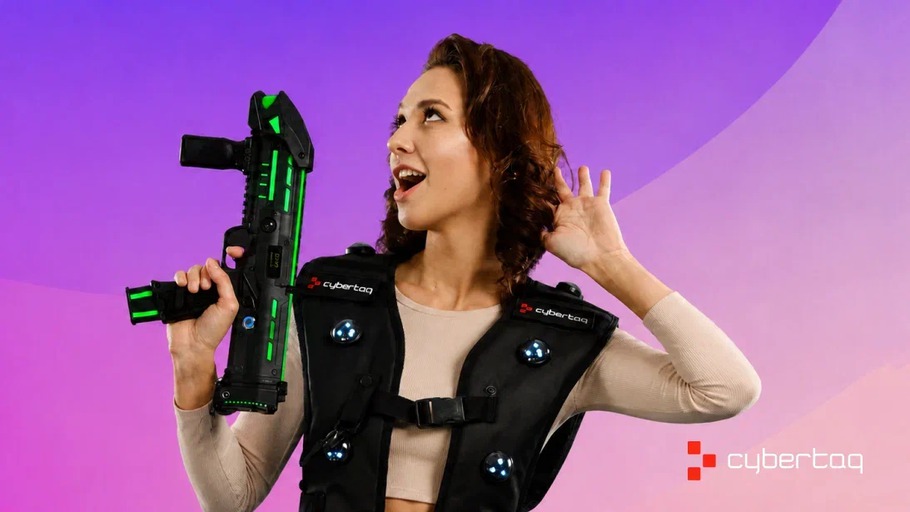
How to Care for CYBERTAG Vests
Dirt, stains, and unpleasant odors can spoil the impression even after a great game.
Guests assess the equipment before the first round, and its condition can influence whether they want to return to your arena. Well-maintained equipment demonstrates attention to detail and care for your customers’ comfort.
Here’s how to keep CYBERTAG vests clean and maintain them safely without damaging the electronics.
The main rule
Never wash or submerge the entire vest in water. Its outer surfaces may only be carefully wiped with a barely damp cloth. The liner must always be removed before washing or spot-cleaning.
Preparing the liner for washing
A CYBERTAG vest consists of two parts: the main section containing the electronics and a removable hygienic liner.
The electronic section must not be washed or soaked. Only careful external wiping is allowed; we will explain this in more detail below.
Dirt accumulates on the liner during gameplay, so it requires separate care. Before washing, remove it from the vest by carefully detaching it from the Velcro fastener.
The liner is made of Air Mesh, a three-dimensional polyester mesh. To preserve its structure, use a delicate washing cycle and avoid vigorous rubbing or wringing.
Hand washing — the preferred method
Prepare water at a temperature no higher than 30°C. Add a small amount of liquid laundry detergent or a mild cleaning product without bleach.
Soak the liner for 10–15 minutes. Gently clean stained areas with the soft side of a sponge, without applying pressure or rubbing vigorously. Rinse thoroughly with clean water. Do not scrub the mesh with a stiff brush or wring it out.
If you use a washing machine
- Place the liner in a laundry bag.
- Select the “Delicate” or “Hand Wash” cycle.
- Set the temperature to 30°C.
- Turn off the spin cycle or limit it to 400 rpm.
Only the removed liner may be placed in the washing machine. Washing the vest with its electronics is strictly prohibited.
How to dry the liner properly
After washing, allow the water to drain. To remove excess moisture, gently press the liner with a clean towel without twisting it.
Dry it flat in a well-ventilated area, away from direct sunlight, radiators, and heaters.
Do not use a tumble dryer or iron the liner. High temperatures may deform the three-dimensional mesh.
Reattach the liner only when it is completely dry. Plan the washing process so that it has enough time to dry before the next game session.
Spot cleaning and additional treatment
If the contamination is minor, remove the liner and gently clean the affected area with a soft sponge or cloth and soapy water. Remove any remaining product with a clean damp cloth and allow the liner to dry.
If disinfection is required, choose a product whose instructions explicitly state that it is suitable for the intended use and compatible with the material being treated: textiles and polyester for the liner, and plastic and coated surfaces for the outer components.
Follow the recommended dosage, contact time, and subsequent treatment procedure. Spot treatment does not replace the removal of dirt or washing the liner.
Cleaning the electronic section
Before cleaning, switch off the vest and disconnect it from the charger.
If the vest is heavily dusty, first remove the dust with a soft, dry brush. Then take a soft cloth or microfiber cloth, lightly dampen it with water or a mild soapy solution, and wring it out thoroughly. The cloth should be barely damp, with no dripping water.
Carefully wipe the outer panels, sensor housings, and surfaces touched by players. Do not apply pressure or rub vigorously. Prevent moisture from entering connectors, openings, buttons, speakers, and seams.
Do not spray water or cleaning products directly onto the vest. Apply any liquid to the cloth first.
After wiping, allow the equipment to dry completely at room temperature. Do not switch on the vest or connect it to the charger until it is completely dry.
Do not use chlorine-based products, bleach, hydrogen peroxide, concentrated alcohol, acetone, or other aggressive solvents for cleaning.
If the cleaning product’s instructions require extensive wetting, that method is not suitable for the electronic section of the vest.
Before handing the equipment to the next group, make sure that the vest and liner are dry, the liner is positioned correctly, and it is securely fastened with the velcro.
You must be logged in to post a comment.