
 LASERWAR
 CyberTag
 LaserArena
 May maneuvers
 Laserwar CRM
 Laser tag
 ZombieTag
 Lasertag
 Alphatag
 Laser tag
Operator’s buying guide2027 edition
Commercial arena laser tag equipment for 2027
Five systems for a family entertainment center, one live demo to run with every supplier, and a way to compare the full cost of a rental fleet.

The next birthday party is already waiting
Midway through a Saturday changeover, one child needs a shorter strap, another is ready to play, and a marshal has to swap a flat pack. That ten-minute window tells an operator more about commercial arena laser tag equipment than a turn with a single showroom phaser.
For a family venue that wants a vest with no cable to the blaster, we would demo AlphaTag Arena first. If your youngest guests find a vest hard to wear, book a Zone Helios3 demo with a Begeara3 phaser and a LaserBlast demo with a Mobile unit in the same game as Pro packs. Give each supplier the same group changeover to run.
Five systems on the same shortlist
Each system earns a demo for a different reason. Use the final column to turn a product feature into something you can watch your staff do.
| System | What the player wears | For a family group | What to ask at the demo |
|---|---|---|---|
| AlphaTag ArenaCYBERTAG / LASERWAR | The blaster links wirelessly to the Defender vest during play. | Adjustable straps. Request a sample and a part number for any dedicated child-size option. | Swap in a spare blaster and time how long it takes the player to rejoin. |
| Helios3Zone Laser Tag | The standard vest and phaser are cabled. O-Zone can coordinate games and arena effects. | A guest with a vestless Begeara3 phaser can join the same Helios3 match. | Run a mixed game. Check which modes are included and which require Unleashed. |
| CyberBlast ProLaserBlast | A touchscreen phaser and a cabled vest. Wireless charging racks are available. | An extra strap helps fit smaller players. A vestless CyberBlast Mobile unit can join a Pro match. | Request a quote for Pro packs, a few Mobile units and the rack positions they need. |
| GenesisDelta Strike | The phaser uses a hose cable to the vest. Packs charge wirelessly between sessions. | A magnetic buckle closes the jacket-style vest. Players get front and rear haptic feedback. | Have a guest fasten the buckle. Ask for lead time and price on a spare hose cable. |
| EVO-6LaserMaxx | The vest has an OLED display. The package lists chargers and wall mounts. | LaserMaxx describes a lightweight vest. Request its adjustment range and try it on your smallest guests. | Ask to see the exact phaser-to-vest connection and have a new marshal start a round. |
Which part is wireless?
- On the player
- Does a cable join the vest and phaser while a guest is playing?
- At the rack
- Does each pack plug in to charge, or does hanging it on the rack start charging?
- Across the arena
- Can staff see every pack at the far end of the maze? Ask them to recover one after a network interruption.
What the AlphaTag Arena Start kit includes
The Start kit inventory names the Pulsar blaster and Defender vest. The AlphaTag Arena platform page also describes a Photon blaster. Ask for the exact blaster model and vest part number on the order, especially if you plan to add packs to an existing fleet. Start kit inventory · AlphaTag platform
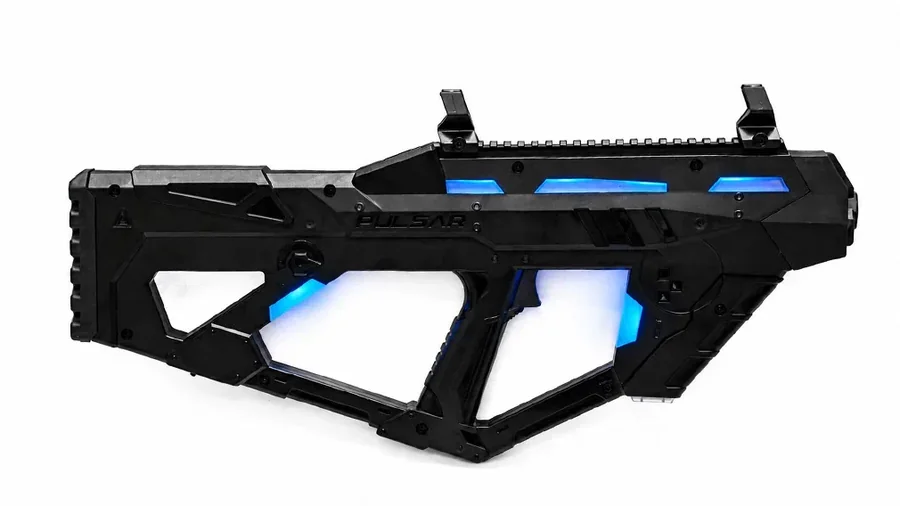
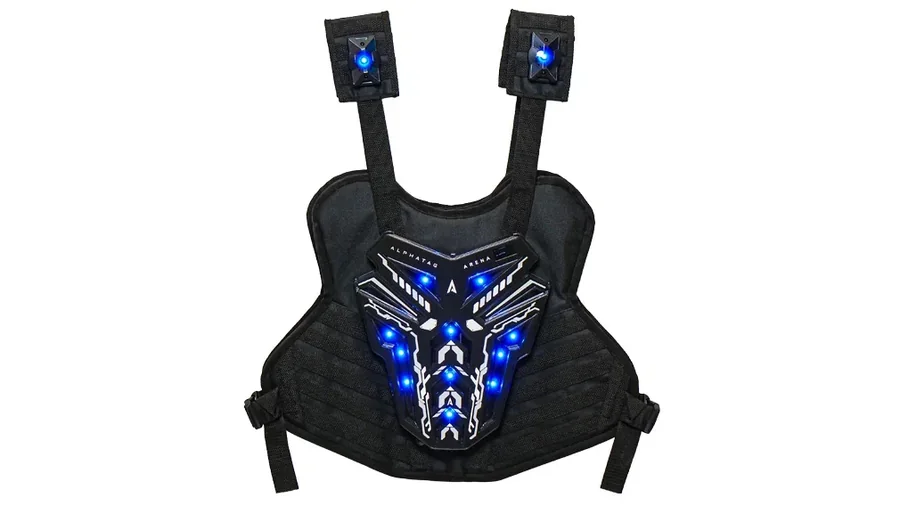
CYBERTAG lists more than 20 built-in scenarios. Start with a team match, then run an objective round using a digital flag. Have the quote name the devices and software needed to run both. AlphaTag Arena scenarios
Run three rounds with your own group
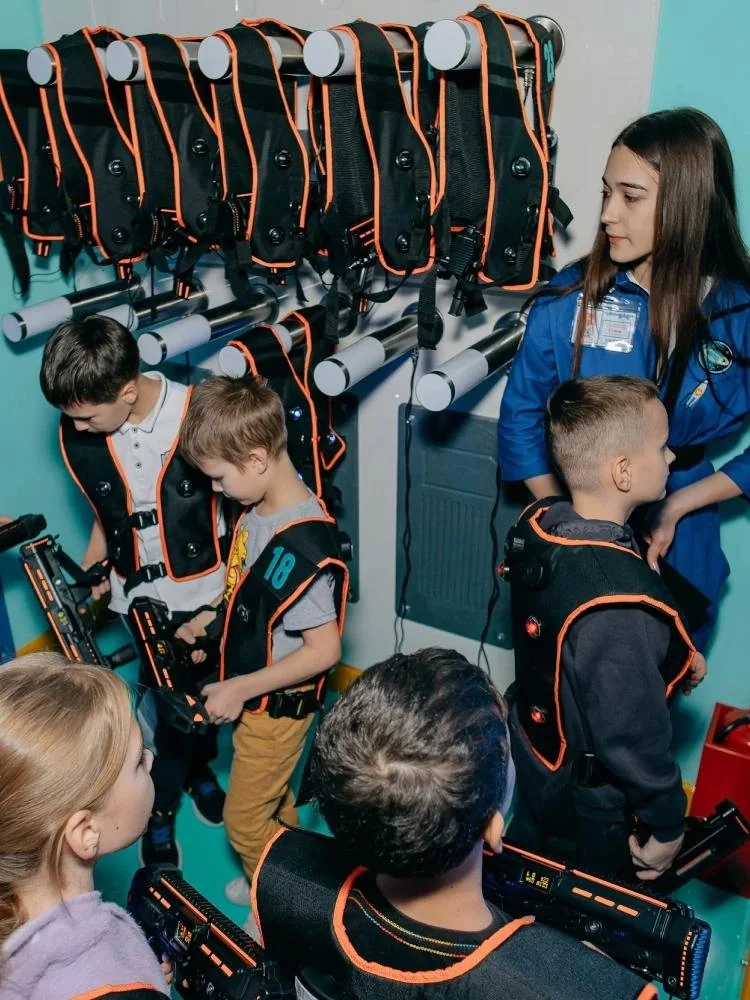
Bring guests who represent the smallest and largest players you expect to serve. Keep the group, staff count and course the same at each demo. Record what happens on every attempt.
- Fit and changeoverStart the clock when the previous group returns its gear. Stop when the last incoming player is ready. Count the vests that needed a second adjustment or a swap.
- Connection and recoveryPlay at your planned capacity and walk through the far corners. Ask the marshal to replace a pack mid-game. Time the first registered action after the swap, then check the score.
- Return and rechargeAfter the third round, check remaining charge, count the rack positions and time cleaning. Find out which parts a marshal can replace and which repairs go back to the supplier.
That schedule allows two starts per hour, or up to 24 player places at full occupancy. Two spare packs help protect those starts when a kit needs replacing. Keep them outside the sellable count. This is an example for planning your own schedule.
Price a rental fleet over three years
Give each supplier the same brief, for example 12 simultaneous players plus two spare packs. Compare outright purchase with leasing or pay-per-play where those options are offered in your territory.
| Cost item | If you buy | If you lease or pay per play |
|---|---|---|
| Getting open | Packs, charging positions, network, targets, installation, freight and training. | Setup, freight and installation. List a refundable deposit separately. |
| Running sessions | Software, support, cleaning, consumables and servicing over 36 months. | Monthly fee × 36, or the per-play charge × forecast paid player games. Check the minimum commitment. |
| Repairs and exit | Spare cables, straps, liners, batteries, repair labor and return shipping. | Who covers damage, how quickly a loan unit arrives, and any return or buyout fee. |
LaserMaxx describes a Pay-Per-Play arrangement based on games actually played. Ask for the terms in your market and model a busy month as well as a quiet one. Use one currency and the same treatment of freight, duties and tax across every quote. LaserMaxx Pay-Per-Play terms
Questions before you place an order
- How do I choose a vest for children?
- Ask for weight, adjustment range and a sample. Watch a child turn, raise the blaster and take a few steps with the vest staying in position. If you need a dedicated child-size Defender, get the orderable part number and delivery date in writing.
- Can a classic CYBERTAG arena keep its existing equipment?
- Send the supplier a list of models and label photos for the chargers, bases and scenario devices you already own. Ask them to identify compatible items on the quote and demonstrate those items working in the proposed setup.
- What if I need to rent laser tag equipment for one event?
- Give a local event operator the date, venue, simultaneous player count and hire period. Request an all-in quote for delivery, staff and spare packs. Ask separately about the deposit and collection arrangements.
Get a quote for your arena
Tell CYBERTAG your country, floor area, players per session and youngest guest age. Ask for model numbers, vest sizes, spare packs, charging positions and local lead times in the written quote.